×

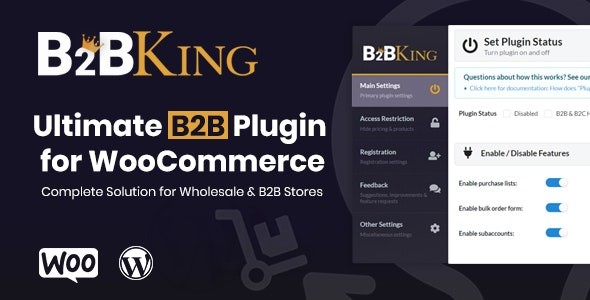
[v5.5.70] B2BKing – The Ultimate WooCommerce B2B & Wholesale Plugin
Status of B2BKing – The Ultimate WooCommerce B2B & Wholesale Plugin
Changelog of B2BKing – The Ultimate WooCommerce B2B & Wholesale Plugin
Installation for B2BKing – The Ultimate WooCommerce B2B & Wholesale Plugin
[v5.5.70] B2BKing – The Ultimate WooCommerce B2B & Wholesale Plugin

Reviews  
  • 5
  • 35 ratings
35 ratingsX
Very bad! Bad Hmmm Oke Good!
0% 0% 0% 0% 100%
  Files Verified by McAfee. 100% Safe & Secure to Download   Recently Updated


B2BKing – The Ultimate WooCommerce B2B & Wholesale Plugin

We have shared the original Plugin [v5.5.70] B2BKing – The Ultimate WooCommerce B2B & Wholesale Plugin to everyone. The shared Plugin is not Plugin nulled or cracked; it’s a 100% genuine GPL Plugin, and you can use it on unlimited websites. Please check if the Plugin is the current version before purchasing. You can submit a request for the latest version by clicking button and we are pleased to update for you as soon as possible. Once you complete purchasing from siteGPL, you’ll get full free access to download the original Plugin and get free lifetime updates on your siteGPL account.


B2BKing – The Ultimate WooCommerce B2B & Wholesale Plugin is the best Plugin for your online projects. B2BKing – The Ultimate WooCommerce B2B & Wholesale Plugin comes with powerful features that allow you to build and manage your website quickly and easily, such as: .
In version v5.5.70, there are new features on B2BKing – The Ultimate WooCommerce B2B & Wholesale Plugin, performance improvements and bugs that have been fixed. You also can see more details and features of the Plugin by clicking the Preview button.

We have shared here a 100% GPL License Plugin so you can use this Plugin on your website or your client’s website without worry. The shared Plugin is not Plugin nulled or cracked Plugin. You can download [v5.5.70] B2BKing – The Ultimate WooCommerce B2B & Wholesale Plugin at siteGPL for only One-Time Payment, $4.99, or Free For Membership. You’ll get original Plugin.

Activated!


[v5.5.70] B2BKing – The Ultimate WooCommerce B2B & Wholesale Plugin has been activated and is ready to access all premium features.

Changelog:


Version: v5.5.70

There are new features on B2BKing – The Ultimate WooCommerce B2B & Wholesale Plugin, performance improvements and bugs that have been fixed.

New Features:

- Added new Customer Price Lists feature: set individual prices for specific customers, allowing highly personalized
customer-level pricing.
https://woocommerce-b2b-plugin.com/docs/customer-price-lists/

- Added new Emails panel under B2BKing → Settings for easier email control, including a new Account rejected email and
a separate Quote Request Received email.

- Added new Rules tab in the Customers CRM Hub, allowing you to quickly view the dynamic rules that apply to each customer.

Enhancements:

- Added dynamic rules cache keys for significantly better rules performance, with some sites
seeing load speed improvements of up to 2-2.5x faster.

- Tax exemptions now apply automatically for backend manual orders.

- Registration fields now support [,] as a comma placeholder, for example 15[,]00 sq. ft.

- Expanded the default accepted file types list with common safe formats: Office, OpenDocument, CSV, and RTF.

- Improved B2BKing VAT toggle compatibility with cached sites and cookie-stripping setups.

Fixes:

- Fixed VAT toggle issue for logged-out users.

- Fixed bug where some dynamic rules did not apply automatically to newly created products.

Security:

- Fixed security vulnerability related to unauthenticated access to b2bking_purchase_list_delete.

https://woocommerce-b2b-plugin.com/changelog/

Documentation:


Installing [v5.5.70] B2BKing – The Ultimate WooCommerce B2B & Wholesale Plugin, you can install the Plugin using one of the two following installation methods:

Method 1: WordPress upload

1. Login to your WordPress admin panel
2. Navigate to Plugins > Add New
3. Click on Upload Plugin
4. Click on Choose File and select (.zip) file
5. Click on Install Now

Method 2: FTP upload

Extract the (.zip) file of B2BKing – The Ultimate WooCommerce B2B & Wholesale Plugin that you downloaded from siteGPL. Find the Plugin folder (this directory is created when you unzip the file). Upload the Plugin folder to your /wp-content/Plugins directory.

That's it, the Plugin should now be installed on your website.

https://woocommerce-b2b-plugin.com/docs/