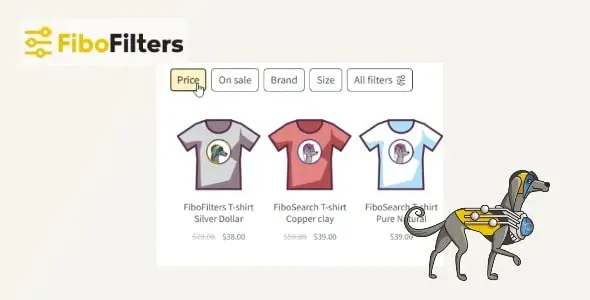
FiboFilters – Woocommerce Product Filters Plugin
We have shared here a 100% GPL License Plugin so you can use this Plugin on your website or your client’s website without worry. The shared Plugin is not Plugin nulled or cracked Plugin. You can download
In version v1.11.0, there are new features on
Activated!
Changelog:
Version: v1.11.0
There are new features on
Added
Custom sorting by post meta values. See documentation.
Added
Support for multiple values in the Range filter. See documentation.
Added
Ability to configure slider step and precision in the Range filter (via filter hook). See documentation.
Added
Elementor Loop Grid support for sources other than the current query.
Added
The Search filter can now use the FiboSearch Pro engine. See documentation.
Added
New Hierarchical category links filter type. See documentation.
Added
New classname shortcode attribute to apply a custom CSS class to the filters container.
Added
New all_screens shortcode attribute to always display filters.
Added
New CSS classes for the horizontal filter layout.
Added
Option to show private products to admins.
Added
Shopkeeper theme integration (including follow-up fixes).
Added
Porto theme integration.
Added
New Hestia theme integration.
Added
New integration with the WPC Product Bundles plugin (initial release + improvements).
Added
New troubleshooting check for the wc_product_attributes_lookup table (with clearer explanations and minor fixes).
Added
Descriptor fetch test now runs directly in the browser (improved reliability).
Added
Automatic disabling of the source analyzer when it gets stuck.
Added
Troubleshooting info for the Sort Products plugin.
Added
Kickoff announcement for upcoming Full Site Editing (FSE) and Interactivity API integration.
Fixed
500 error on PHP 8+ in the Breakdance Header Builder.
Fixed
Critical issue in The7 theme integration.
Fixed
Improved detection of incorrect base product IDs.
Fixed
Pagination issue in Avada theme integration.
Fixed
Divi custom page issues: pagination not working and 404 on refresh with active filters (Woo Products module) on non-WooCommerce pages.
Fixed
Missing pagination after clearing active filters when only one results page is available.
Fixed
Product variations disappearing after sorting changes when the "Variations as Single Product" plugin is active.
Fixed
Incorrect price sorting when a product variation is out of stock.
Fixed
Incorrect popularity sorting when products have more than 10,000 sales.
Fixed
Warning about incorrect use of the fibofilters/custom_catalog_orderby filter when it has not been used yet.
Fixed
Troubleshooting test incorrectly marking Range filters as invalid before source analysis completes.
Fixed
Category checkbox not consistently checked when viewing its category page.
Fixed
WPML translation strings for filters not updating after saving settings.
Fixed
Translations not applied when computing values for filters with computed sources.
Fixed
Filter source loading error on the settings page caused by a debugging function.
Fixed
Filters Debugger not displaying any content in some cases.
Fixed
PHP notice in the debugger.
Fixed
Attribute-based filters now use attribute slugs by default.
Fixed
Too many decimal places in product price descriptors.
Fixed
Accidental color selection on scroll in the mobile Color filter.
Fixed
Category-link filter styles being overridden (increased CSS selector specificity).
Fixed
Search filter UI layout shift caused by the preloader.
Fixed
Incorrect display of Color filter values in the XStore theme.
Fixed
Incompatibility with the "Show More Link" option in the XStore theme.
Fixed
Filters unexpectedly displaying in the Uncode theme when their location is set to "Custom".
Fixed
Double border in the Storefront theme search bar.
Fixed
Missing init() invocation in plugin integrations that declare the early_init flag.
Fixed
Performance issue during import with WP All Import.
Fixed
Removed an unnecessary banner from the settings page.
Fixed
Minor typos (including a documentation link).
Tweak
Color filter type enabled permanently.
Tweak
Renamed filter hook for excluding out-of-stock variations during filtering.
Tweak
Optimized descriptor loading after product index updates.
Tweak
Optimized filter rendering and refresh performance after value changes.
Tweak
Improved language file generation.
Tweak
Minor styling adjustments.
Tweak
Descriptor fetch test descriptions are now clearer and more user-friendly.
Tweak
Updated documentation links related to automatic source analyzer disabling when it gets stuck.
Updated
Freemius SDK.
Updated
Greek language files.
Updated
Translations .pot file and .po files.
https://fibofilters.com/changelog/
Documentation:
Installing
https://fibofilters.com/documentation/