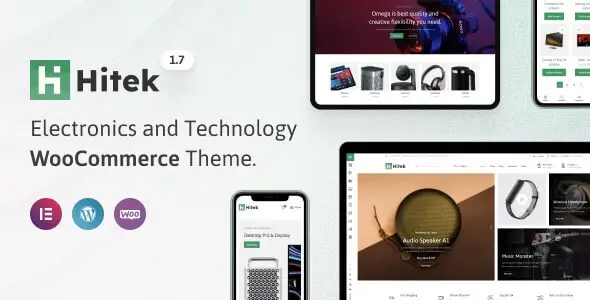
Hitek – Electronics WooCommerce Theme
We have shared here a 100% GPL License Theme so you can use this Theme on your website or your client’s website without worry. The shared Theme is not Theme nulled or cracked Theme. You can download
In version v1.8.0, there are new features on
Activated!
Changelog:
Version: v1.8.0
There are new features on
NEW FEATURE: Review reminder.
NEW FEATURE: Abandoned cart.
NEW FEATURE: Price tracker. (Screenshot)
NEW FEATURE: Marketing consent. (Screenshot)
NEW FEATURE: Viber, Threads, Bluesky, Yelp, Discord social links. (Screenshot)
NEW FEATURE: “Is user logged in” in preset conditions list. (Screenshot)
NEW FEATURE: Product name as fallback alt text in product gallery.
NEW FEATURE: Styles for WooCommerce track order. (Screenshot)
NEW FEATURE: Styles for optional labels in WooCommerce forms. (Screenshot)
NEW FEATURE: Styles for removing coupon button. (Screenshot)
IMPROVED: “aria-label” attributes throughout the theme for improved screen reader support.
IMPROVED: Size attributes to images.
FIXED: Submenu and HTML-block support for burger categories menu. (Topic)
FIXED: Vertical dropdown height for megamenu element. (Topic)
FIXED: Product name display with markup in waitlist table.
FIXED: Product limits for waitlist in editor.
FIXED: Basic email template catalog.
FIXED: HTML-blocks in sub menu items.
FIXED: Waitlist compatibility issue with Loco Translate plugin.
FIXED: Compatibility with “Contact form 7” plugin.
FIXED: Cart count label visibility in sticky bottom navbar. (Screenshot)
FIXED: “xts_get_posts_by_query” limits results to published posts.
FIXED: Missing “aria-label” attribute on quantity buttons.
FIXED: Content width in Text Editor Elementor element.
FIXED: Single product countdown alignment option.
FIXED: Menu locations PHP error and main menu visibility after dummy content clear.
FIXED: Elementor and theme Swiper library conflicts.
FIXED: Excluded products not working with “Sale products” data source in product element.
FIXED: Important security issues.
FIXED: Single product template loading for password-protected products.
FIXED: Deprecated warnings for select2 and zoom handles.
FIXED: Header builder styles for hiding row on desktop/mobile. (Screenshot)
FIXED: Product countdown visibility on quick view.
FIXED: Removed background from show password button.
UPDATED: WooCommerce templates.
https://themeforest.net/item/hitek-electronics-woocommerce-theme/33559130
Documentation:
Installing
https://xtemos.com/documentation/space/